
How to Prepare Your Annual Report: A Practical, Not Confusing Guide for Organizations
An annual report is more than a requirement or a recap; it’s a powerful storytelling tool. When done well, it helps your audience understand your impact, trust your work, and stay connected to your mission.
This guide breaks down how to easily prepare an annual report for your internal team, smoother for your design partners, and clearer and more engaging for your readers.
Why Annual Reports Matter
Annual reports help organizations communicate their impact and operate with transparency, while also strengthening relationships with funders, partners, and the communities they serve. They build credibility and trust by clearly showing how resources are used and what progress has been made over time, and they create space to document lessons learned along the way. A strong annual report doesn’t try to say everything; it focuses on what matters most.
Step 1: Define the Purpose and Audience
Before collecting content or thinking about design, get clear on a few things:
Who is this report for? (Funders, board members, partners, community, general public)
What do they need or want to understand?
What action do you want them to take after reading?
Actionable tip: Write a one-sentence goal for your report (e.g., “This report will allow our organization to review the most impactful fundraising actions we took during the year and will help us improve fundraising for next year”). Share this with everyone involved.
Step 2: Organize Your Information Early
Disorganized content is one of the biggest challenges for design teams and a major cause of delays.
Core sections to plan for:
Mission and values
Letter from leadership
Key programs or initiatives
Impact metrics and outcomes (we suggest you collect these throughout the year)
Stories or testimonials (collect at every program session or event)
Financial overview
Partners, sponsors, or acknowledgments
Looking ahead (goals for the next year)
Actionable tip: Create a simple outline or table of contents before gathering any content. This becomes your roadmap.
Step 3: Gather the Right Content
What to collect:
Narrative content
Short program descriptions
Success stories or case studies
Quotes from staff, participants, or partners
Data and metrics
Number of people served
Program growth or reach
Geographic impact
Key outcomes or milestones
Financial information
High-level income and expenses
Visual-friendly summaries (avoid dense spreadsheets)
Visual assets
High-quality photos (with usage permission)
Logos of partners or funders
Brand guidelines (colors, fonts, tone)
Actionable tip: Assign one person as the “content owner” to collect, review, and approve all materials before sending them to the design team.
Step 4: Make It Easy for the Design Team
Design works best when it’s supported by clarity and structure.
How to send materials:
Use one shared folder (Google Drive, Dropbox, etc.)
Clearly label files (e.g., “Final Program Text,” “Approved Photos,” “Financial Summary v2”)
Provide content in editable formats (Google Docs or Word)
What designers appreciate
Final or near-final text (not drafts scattered across emails)
Clear hierarchy (headlines, subheadings, body text)
Notes about emphasis (what must stand out)
Actionable tip: Avoid sending content in pieces over time unless agreed upon. Bundled, organized content saves time and budget.
Step 5: Design for Your Readers
Your audience may skim before they read; your design should support that behavior.
Less is more
When it comes to annual reports, clarity always wins.
Too much text can overwhelm readers and distract from the information that truly matters. Keeping content simple, focused, and easy to understand helps key data and stories stand out.
Actionable tip: If a paragraph doesn’t add new insight or context, consider shortening it or turning it into a visual instead.
Plan the visuals intentionally
We’ve said it before: images and colors speak before words.
A strong annual report is highly visual, using design to guide readers through the story and help information stick. Visuals should support understanding, not compete with the content.
Best practices for visual-first reports:
Short paragraphs and clear headings
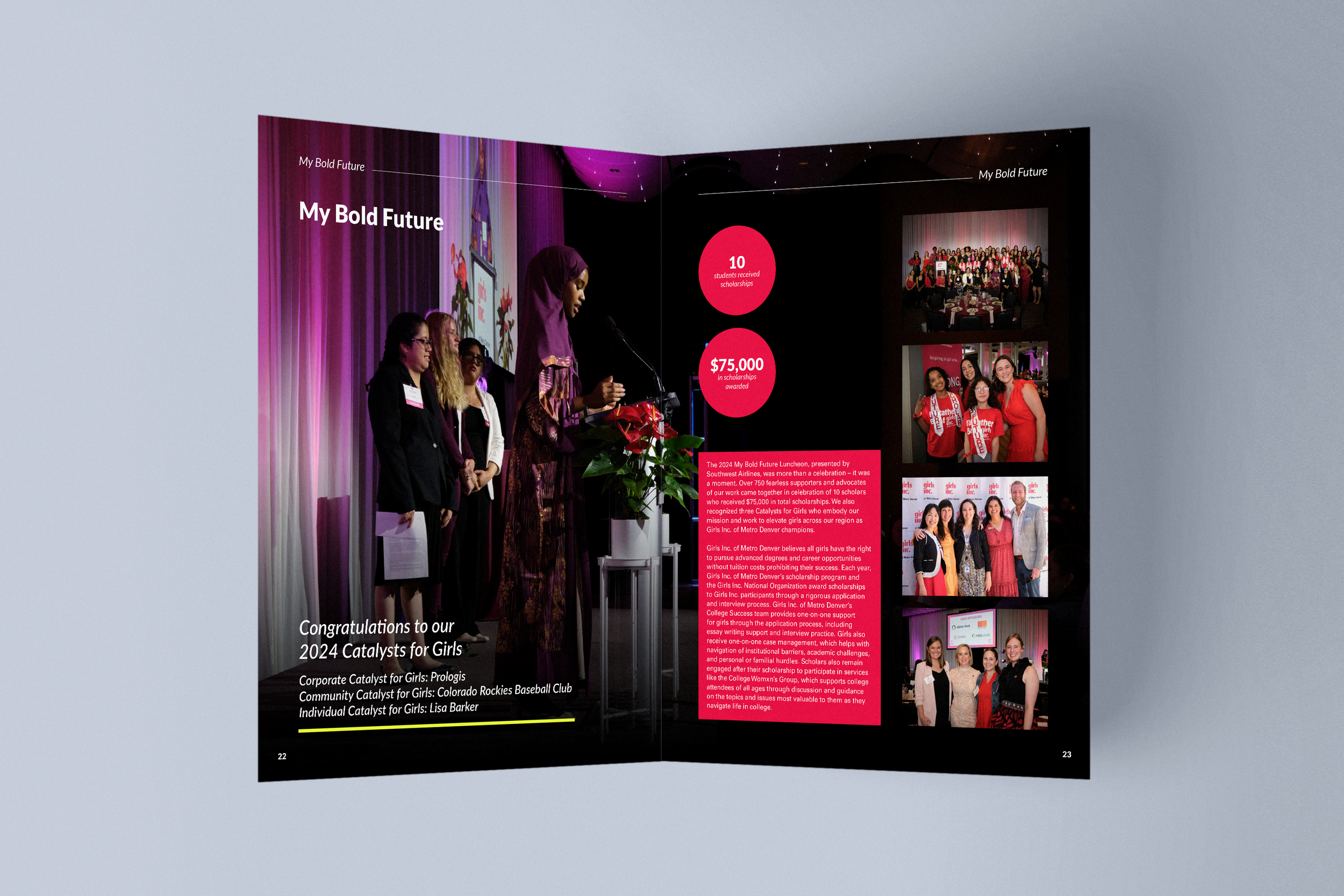
Pull quotes and callouts to highlight key messages
Infographics for data and impact
Icons to guide navigation
Photography that reflects real people and communities
Timelines or progress charts to show growth
Actionable tip: Every visual should clarify or reinforce a message, not just decorate the page.
Step 6: Look for the Right Design Partner
Not every design team is the right fit for an annual report.
What to look for:
Experience with annual reports or long-form publications
Ability to translate complex information into clear visuals
Understanding of accessibility and inclusive design
Collaborative communication style
Respect for your mission and audience
Actionable tip: Ask to see past annual reports or editorial design projects, not just branding or social media work.
Annual Report Preparation Checklist
Use this checklist to stay on track:
Defined purpose and audience
Approved outline or structure
Final written content gathered
Impact metrics and financial summaries ready
High-quality visuals collected
Brand guidelines shared
Materials organized in one folder
Internal reviewer assigned
Need Support Creating Your Annual Report?
At Buenas Causes Studio, we specialize in annual reports for nonprofits, foundations, and community-driven organizations. We combine strategy, storytelling, and editorial design to create reports that are clear, engaging, and aligned with your values.
Whether you need help organizing content, shaping the narrative, or designing a report your audience will actually read, we’re here to help.
Let’s create an annual report that truly reflects your impact… and makes you the showoff of those networking meetings!
